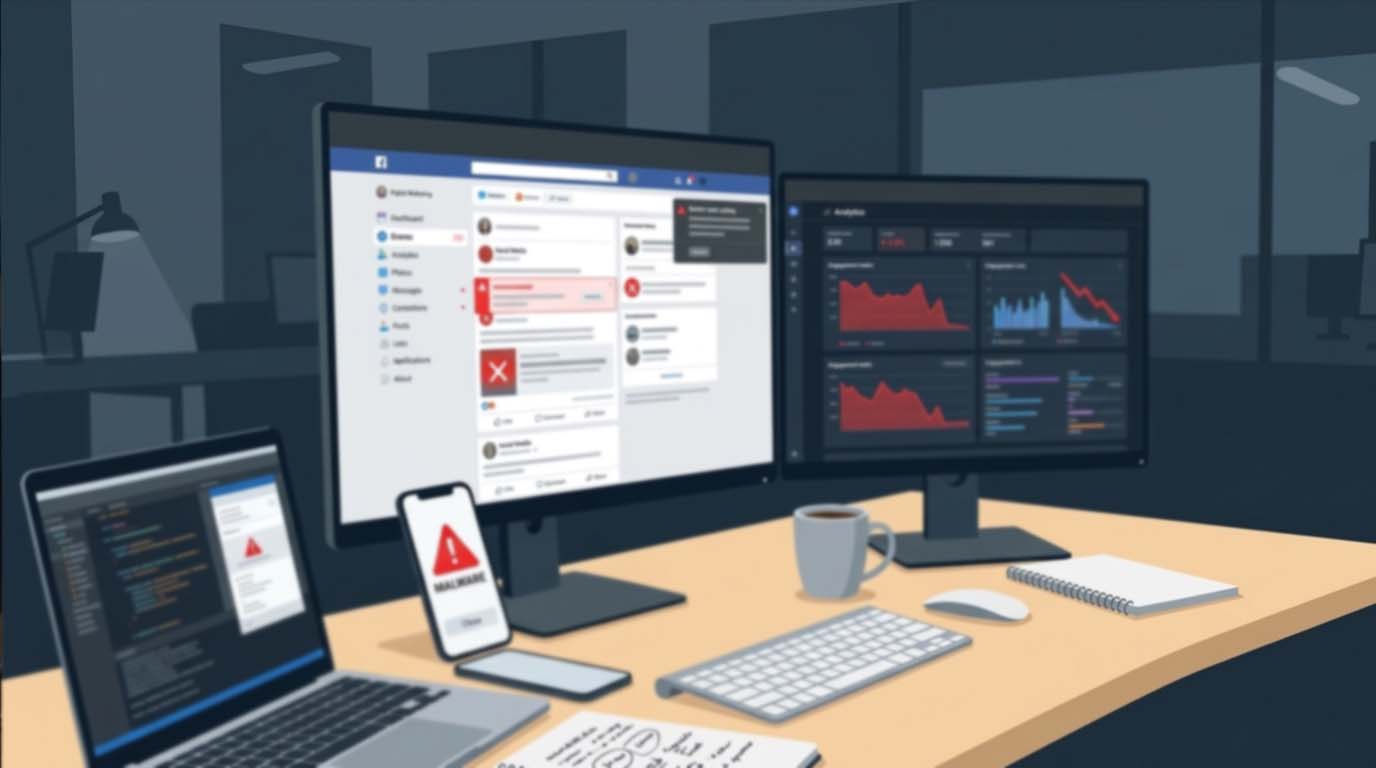
A single fake install link can wreck months of brand trust. One click, and your audience is redirected to a malicious page, a phishing form, or a trojanized app file. The damage spreads fast. Screenshots circulate. Comments pile up. Your campaign performance drops overnight.
App download scams are no longer random spam attempts. They are strategic. Scammers clone ad creatives. They mimic your landing pages. They copy your captions. Then they insert counterfeit install buttons that look completely legitimate. If your campaign includes app promotions, giveaway downloads, or beta access links, you need a defense strategy before you hit publish.
This guide breaks down how to protect your audience from fake install links, how to build safer social campaigns, and how to prevent brand damage before it starts.
Quick Safety Snapshot
- Audit every install link before publishing
- Use trusted distribution sources
- Monitor comments and replies for impersonators
- Educate your audience on safe download behavior
- Track engagement anomalies as early warning signals
Why Fake Install Links Spread So Fast on Social Media
Social media platforms reward speed and engagement. A post goes viral. Users click quickly. They rarely inspect URLs closely. Scammers exploit that behavior. They use shortened links. They create lookalike domains. They purchase ads that imitate official campaigns.
Mobile first browsing adds another layer of risk. On smaller screens, full URLs are hidden. Link previews can be manipulated. Users focus on visuals and call to action buttons instead of technical details.
If your campaign promotes an Android app, audiences often search for alternative download options outside official app stores. That is where secure sources matter. Linking users toward a verified apk file reduces the chance they wander into malicious download farms that inject spyware or adware.
Common Tactics Used in Fake Install Scams
Understanding the tactics helps you design prevention measures. Most fake install campaigns follow predictable patterns.
- Clone Pages
Fraudsters copy your landing page layout. They replicate your logo. They mirror screenshots. Only the install button points to malware. - Comment Section Hijacking
Scammers reply under your posts pretending to be support staff. They drop fake install links claiming the official link is broken. - Shortened URL Manipulation
Bitly style links conceal malicious destinations. Users cannot verify authenticity at a glance. - Ad Impersonation
Fake paid ads appear above organic content, targeting users who are already engaged with your brand.
Each tactic relies on urgency and familiarity. The more your audience trusts your brand, the more vulnerable they become to lookalike fraud.
Build Security Into Campaign Planning
Security should not be an afterthought. It belongs in the campaign planning stage alongside targeting and creative strategy. If your team already uses structured scheduling workflows such as campaign planning around week numbers, integrate link verification checkpoints into that same calendar.
Add a mandatory link audit before publishing. Confirm domain spelling. Verify SSL certificates. Test install flows on multiple devices. Document the approved download source and restrict last minute link changes.
This structured approach prevents rushed edits from introducing vulnerabilities. Many fake link incidents occur because a team member swaps a URL at the final hour without validation.
How to Audit an Install Link Before Publishing
A proper audit goes beyond clicking the link once. It requires a multi layer review.
Start with the domain. Confirm it matches your official site or authorized distributor exactly. Even a minor character variation can signal a phishing attempt.
Check the file source. For Android distributions outside official app stores, confirm the file originates from a reputable platform and not an unknown hosting server.
Finally, test the full download journey. Install the file in a controlled environment. Observe permission requests. Unexpected access to contacts, SMS, or background services is a red flag.
Monitor Engagement Patterns for Warning Signs
Fake install links often reveal themselves through behavioral anomalies. Sudden spikes in comments that contain external URLs are a major signal. Irregular click through rates paired with rising bounce rates can also indicate traffic diversion.
Performance tracking matters here. Reviewing engagement metrics tracking reports helps you spot unusual patterns quickly. If a post shows high link clicks but low verified installs, investigate immediately.
Engagement analytics are not just about growth. They are an early detection system for fraud.
Educate Your Audience Without Creating Fear
Users appreciate transparency. Instead of issuing dramatic warnings, include subtle reminders in your captions. Clarify that official download links appear only in your bio or website. Encourage users to avoid links in comments.
Short reminders work best. They should be consistent across campaigns. Over time, your audience learns where authentic links live.
You can also create a pinned post explaining how to verify official download sources. This empowers users without overwhelming them.
Platform Policies and External Guidance
Social networks publish anti phishing and malware guidelines. Aligning your strategy with broader security standards strengthens credibility. The Federal Trade Commission outlines common online scam tactics and user protection principles that mirror many social media fraud patterns.
Referencing established consumer protection frameworks reinforces internal policies. It also ensures your response plan meets recognized safety standards.
Risk Prevention Framework for App Campaigns
| Risk Area | What Goes Wrong | Prevention Action |
|---|---|---|
| Comment Hijacking | Impersonators drop fake links | Moderate daily and filter URLs |
| Lookalike Domains | Misspelled brand URLs | Register similar domains defensively |
| Unauthorized Ads | Fake sponsored campaigns | Report impersonation ads quickly |
Five Practical Safeguards Every Campaign Should Use
These safeguards create layered protection. No single tactic is enough on its own.
1. Use one primary install URL per campaign. Multiple links increase confusion and risk.
2. Disable clickable links in comments where possible. Remove suspicious replies immediately.
3. Create a visual watermark on install graphics. Consistent design reduces impersonation credibility.
4. Verify download integrity before every paid boost. Recheck links even if unchanged.
5. Maintain a crisis response template. If a fake link spreads, respond publicly and clearly within minutes.
Responding If a Fake Install Link Appears
Speed matters. A slow response signals confusion. A structured response builds trust.
First, acknowledge the issue directly on the affected post. Clarify the correct download source. Pin the comment. Then report impersonating accounts and suspicious ads to the platform immediately.
Next, review your campaign assets. Confirm no official materials were altered. If necessary, temporarily pause paid promotions until you regain full control of the conversation.
Protecting Long Term Brand Trust
Trust compounds slowly and collapses quickly. Preventing fake install links is not just about cybersecurity. It is about brand stewardship.
Consistent link structure, transparent communication, and proactive moderation form the foundation. Campaign planning, analytics monitoring, and clear distribution channels strengthen it further.
App download campaigns can drive powerful growth. They can also become attack vectors if left unprotected. By embedding verification processes into your content workflow, auditing every install link, and educating your audience calmly, you create a safer ecosystem for everyone who interacts with your brand.
Protect Clicks Before They Turn Into Damage
Every install button carries responsibility. Treat each link as a gateway to your reputation. Build safety checks into planning calendars. Monitor engagement closely. Guide users toward legitimate download sources. Respond fast if something slips through.
Strong campaigns are not only creative and data driven. They are secure. Protect the click, and you protect the community around your brand.






No responses yet